For Windows · Free
Run every agent.
Watch none of them.
One live queue for Claude, ChatGPT, Gemini, Copilot, and your terminal sessions. The moment one needs you, you know. One click puts you back in the right window.
-
Refactor auth middlewareGenerating
-
Compare hosting quotesReady
-
Landing copy, third passWaiting
-
Write parser testsGenerating
-
Summarize sprint notesIdle
The problem
Agents don’t need you often.
They need you
at random.
So you check: five tabs, two terminals, twice each, usually to find nothing. MAM ends the checking. One queue holds every session. The moment one is ready or stuck, you know without looking.
How it works
The whole interface is four words.
-
Ready
Finished. An answer is waiting for you.
-
Generating
Still writing. Safe to look away.
-
Waiting
Stopped mid-task to ask you something.
-
Idle
Open, but nothing is moving.
Coverage
If it runs, it’s in the queue.
Browser & desktop
Claude · ChatGPT · Gemini · Copilot
Chrome tabs across every profile, plus the desktop apps.
Terminal
claudeClaude Code · tracked
codexCodex · tracked
In Windows Terminal, VS Code, Cursor, and Antigravity.
Setup is just the download. MAM configures the browser side itself.
The desktop queue
One window, the whole picture.
Go
Go means found.
One click fronts the exact window: the right Chrome profile, the right editor terminal, the right desktop app.
Share
Any chat becomes a link.
Share copies a public link for any tracked chat straight to your clipboard. Terminal sessions export to Markdown instead.
Projects
Chats that outlive their tabs.
The tab can close, the terminal can exit, the whole machine can restart. A chat saved to a project reopens with one click, right where it left off.
Team projects put the same saved chats in everyone’s MAM. Roles decide who can change what, and every save syncs to the whole team in real time.
-
Refactor auth middleware
-
Rate-limit design notes
-
Postmortem draft
Closed on your machine. One click from back.
- Mayaowner
- Arunfull
- Samview
Search
Everything you ever asked, in one box.
ChatGPT only searches ChatGPT. Claude only searches Claude. Your terminal sessions aren’t searchable at all. MAM reads every one of them and keeps a private index on your machine, so the answer you half‑remember is one query away — whichever tool you were using at the time.
iPhone · Android
The green light follows you out.
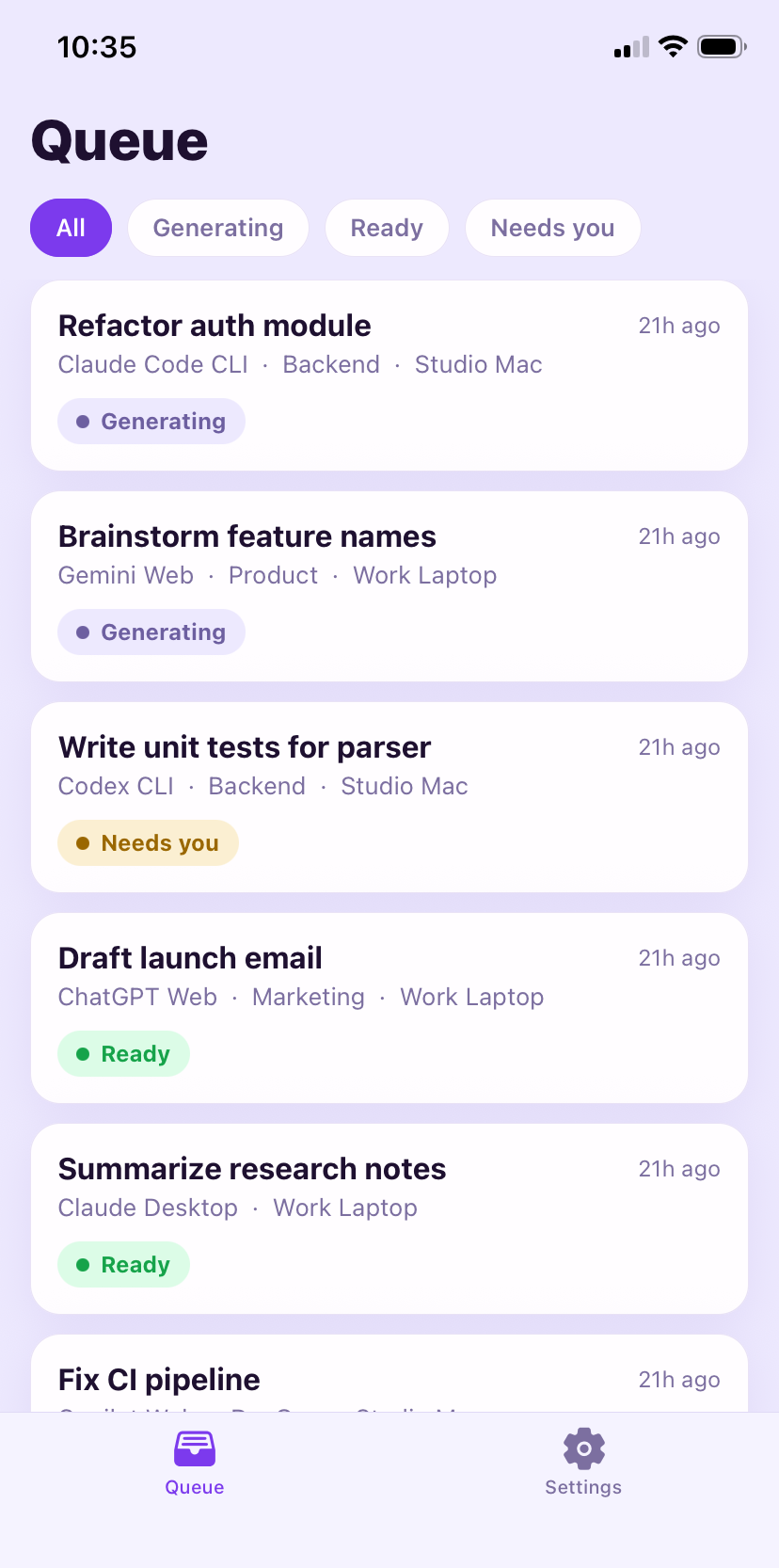
The companion app mirrors your queue live and pushes a notification the moment a chat finishes or stops to ask. Only titles and statuses ever sync. Conversation contents never leave your machine.


Ready when you are.